
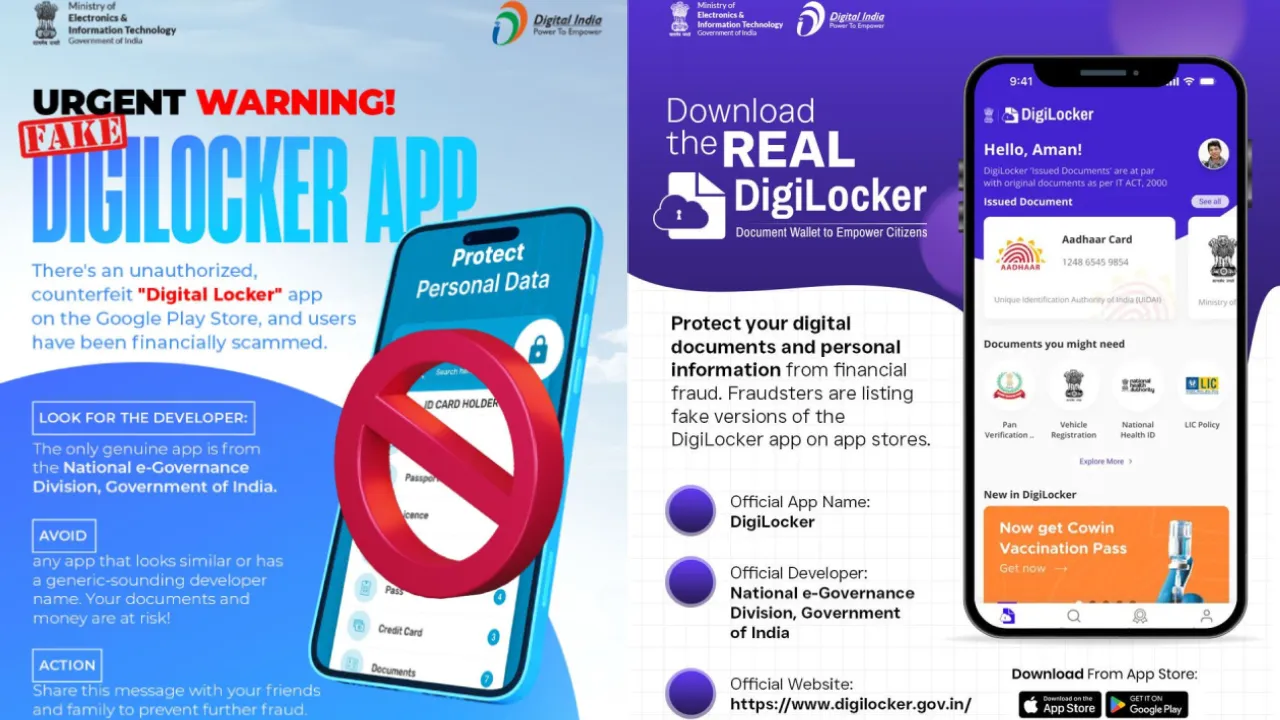
If you use DigiLocker to digitally store your essential documents like Aadhaar, PAN, and driving license, this news is crucial for you. The Ministry of Electronics and Information Technology (MeitY), Government of India, has issued an urgent, high-level alert. The ministry has cautioned that cybercriminals are creating counterfeit mobile applications that look identical to the official DigiLocker app to trap unsuspecting users. These fake apps are specifically designed with the intent of stealing your personal and sensitive information.
The Alarming Threat and Ministry Directives
The New Modus Operandi of Fraud
According to the warning issued by the ministry, several unauthorized apps are available outside the official Google Play Store and Apple App Store, or on other third-party websites. These deceptive apps mislead users into believing they are part of the official government service.
The moment a user enters their data—especially Aadhaar and PAN card information—into these fraudulent apps, their private information is immediately transmitted to the scammers. This stolen information can then be used for bank fraud, identity theft, and other illegal activities.
MeitY’s Firm Stance: Trust Only Official Sources
Given the escalating threat of fake apps, MeitY has appealed to citizens to exercise extreme caution with their digital security. The ministry has issued clear guidelines on what to do and what not to do to stay safe.
How to Identify the Authentic DigiLocker App:
The ministry has instructed users to rely exclusively on verified and official channels. To ensure you are using the real app, follow these steps:
- Download from Official Stores Only: Ensure you download the app only from the official Google Play Store (for Android) or the Apple App Store (for iOS).
- Check the Developer Name: In the app listing, the developer/publisher name must be “National e-governance Division, Government of India“.
- Use the Official Website Link: If in doubt, always use the links provided on the official DigiLocker website (https://www.digilocker.gov.in) to download the application.
Key Precautions for Staying Safe:
- Avoid Suspicious Links: Do not download the app by clicking on any links received via email, SMS, or WhatsApp.
- Reviews and Permissions: Before installing, carefully check the app’s ratings, user reviews, and the permissions requested. If an app asks for unnecessary permissions, do not install it.
- Stay Aware: Inform your family and friends about this scam so they can also remain secure.
MeitY emphasizes that while the Government of India is committed to securing digital services, citizen awareness and caution remain the first line of defense against cyber threats.